Depending on the portal settings, contributions will be displayed either on the Dashboard and Search or in the contributable Inboxes. In some portals, all contributions are directed to a specifically designated inbox. In other portals, users can select inbox for the contribution. Contributions sent by email will either end up in a specifically designated inbox or in any other contributable inbox based on alphabetical order.
If your Inbox is not set to accept contributions, check if you find your Contribution in Search or otherwise contact your Tool Admin or Wide Narrow Support to locate your contribution.
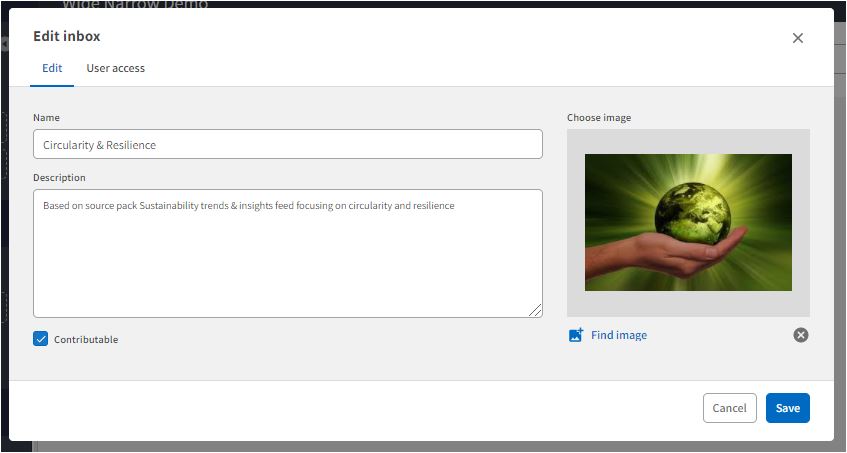
To enable contributions to your inbox:
1. Go to Inboxes and click the Settings icon on the Inbox card
2. Select Edit and check the "Contributable" checkbox in the Inbox edit form.
Read more about Contributions HERE
User access: All users can make contributions. Only superusers have access to Inboxes. Only Superusers with Admin permissions can change the portal settings.
Comments
0 comments
Please sign in to leave a comment.