It is possible to subscribe to Newsletters but not to Reports.
How to view who is subscribing to a Newsletter:
1. Navigate to Newsletters and open the newsletter.
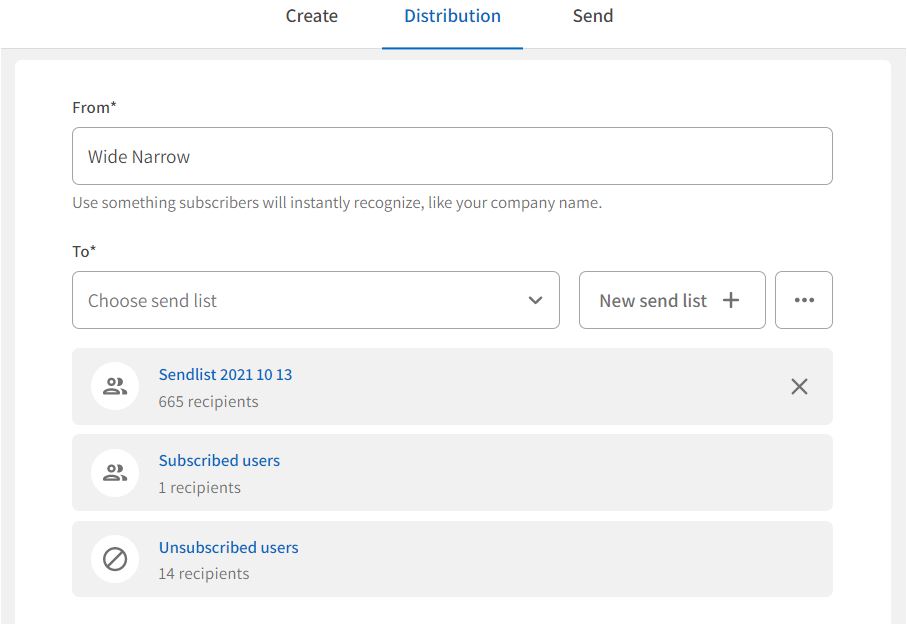
2. On the Distribution page, you can view the send lists and recipients. Click on a send list to open and view who is subscribing to the newsletter.
Users can subscribe to the newsletter on the Subscription page if the newsletter is set to user access "open" (default). A new "Subscribed users" send list will automatically be created and populated with the new subscribers.
Users can also unsubscribe to a newsletter on the Subscription page. If users unsubscribe to the newsletter, a new "Unsubscribed users" group will automatically be created and populated with those who unsubscribe.
Reports are not possible to subscribe to, but you can see who has been assigned access to a report.
The publisher gives access to a published report to specific users or members of user groups that are defined when publishing the report. Access to view published reports is also granted to users or members of user groups with access to the report set.
You can view which users and user groups can see a published report by clicking on Publish in the Report section of the report.
You can view the members of a user group as an Administrator in Admin > User groups.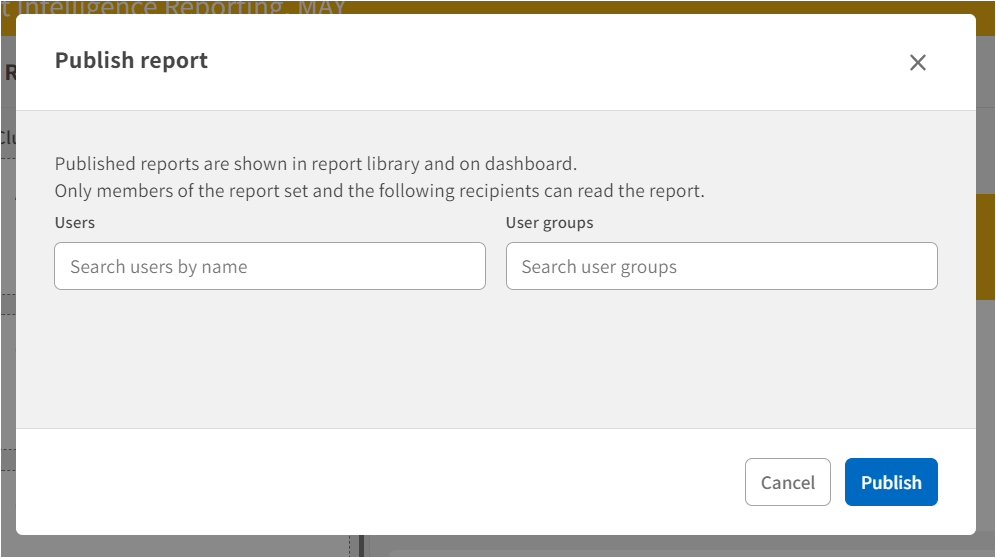
User Access: Only superusers have access to the Newsletter and Report module.
Only superusers with Admin permissions have access to the Admin module.
All users can subscribe to Newsletter from the Subscription page.
Comments
0 comments
Please sign in to leave a comment.